Getting Started With the MindMeld iOS SDK
مرة 1,224 شوهد
وصف الفيديو:
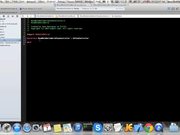
This video will walk you through the steps needed to start using the MindMeld iOS SDK. Begin building apps today at developer.expectlabs.com.
TRANSCRIPT:
In this video, I'm going to show you how to install the MindMeld iOS SDK. To get there, go to the Documentation page. Scroll down to the iOS SDK section, and click on Getting Started. Now the first step is to just download the SDK. Once it downloads, you can unzip the file and you will see that there are two main entries in this folder. One of them is the framework that you're going to plug into your Xcode project, and the second one is just a folder with sample code and sample applications that you can play with so you can learn more about ways you can use the MindMeld API.
So now you can add the SDK to your Xcode project. To do that, you go to Xcode, assuming you already have a project started. And you can just drag and drop the framework into your project. Copy the items into the group's folder, click Finish, and there you go.
The next step is to add the required libraries. There are three dependencies that you need to add when using our framework. The first is "libicucore." So I'll just go ahead and add all of them. Once you have all of the libraries installed, you can import the SDK by adding the header file to the class where you want to start. Once the SDK is imported into your project, you can start using it. You can initialize it by starting it with an app ID. And there you go, you can now start using the SDK.
تمت الإضافة
28 أبريل 2017
التعليقات